Introduction
You wrote a great blog post. But nobody is reading it. Sound familiar? This is the reality for thousands of bloggers who skip one crucial step in on-page SEO. Writing good content is only half the job. The other half is making sure Google can find it, understand it and rank it high enough for real people to click on it.
On-page SEO is the process of optimizing individual blog posts so they show up in search results. It covers everything from your title tag to your image alt text. The best part? You don’t need to be a tech expert to do it well.
This guide gives you a complete on-page SEO checklist for blog posts written in plain English, with real examples and practical tips you can use today. Whether you’re a beginner blogger or someone who’s been publishing for years, this checklist will help you get more traffic from every post you publish.
Let’s get into it.
Start with the Right Keyword
Before you write a single word, you need to know what keyword you’re targeting. This is the foundation of your entire on-page SEO strategy. A keyword is the word or phrase that people type into Google when they’re looking for something. Your goal is to match what your audience is searching for.
How to find the right keyword:
- Use free tools like Google Search, Ubersuggest, or AnswerThePublic
- Look for keywords with decent search volume but low competition
- Focus on long-tail keywords (3–5 words) like “on-page SEO checklist for beginners”
- Check what shows up on Page 1 of Google that’s your competition
Example: Instead of targeting the broad keyword “SEO,” try “on-page SEO checklist for blog posts.” It’s more specific, easier to rank for, and attracts readers who want exactly what you’re offering.
Pro Tip: Use your main keyword naturally throughout the article. Don’t stuff it into every sentence write for humans first, search engines second.
Optimize Your Title Tag and Meta Description
Your title tag is the clickable blue headline that appears in Google search results. Your meta description is the short paragraph below it. Together, they decide whether someone clicks your article or scrolls past it.
Title Tag Tips:
- Keep it under 60 characters so it doesn’t get cut off
- Include your main keyword near the beginning
- Make it interesting use numbers, questions, or power words
- Example: “On-Page SEO Checklist: 8 Steps to Rank Higher in 2025”
Meta Description Tips:
- Keep it between 150–160 characters
- Include your keyword naturally
- Add a clear reason for the reader to click (a benefit or promise)
- Example: “Follow this step-by-step on-page SEO checklist to optimize your blog posts, boost rankings and drive more organic traffic.”
Your meta description doesn’t directly affect rankings but it does affect click-through rate and that matters a lot. A well-written meta description can double your organic traffic without any new content.
Use Proper Heading Structure (H1, H2, H3)
Headings do two things: they make your article easy to read for humans, and they help Google understand your content structure. Every blog post should follow a clear heading hierarchy.
The Heading Rules:
- H1: Your article title. Use it only once per page.
- H2: Main sections of your post. Include keywords where it fits naturally.
- H3: Subsections under H2 headings. Use for breaking up long sections.
Think of your headings like a table of contents. If someone just skimmed your headings, they should get a clear picture of what the article covers.
What to avoid:
- Don’t skip heading levels (going from H1 to H4)
- Don’t use bold text as a heading use actual heading tags
- Don’t keyword-stuff your headings
Example: This article uses H2 headings for each main section. That makes it easy to scan, and it tells Google exactly what each section is about. It’s a simple habit that makes a big difference in both readability and SEO.
Write a Compelling URL Slug
Your URL slug is the part of your web address that comes after your domain name. Most people ignore it, but it’s one of the easiest on-page SEO wins available.
A good URL slug is:
- Short and descriptive (3–5 words)
- Lowercase with hyphens between words
- Contains your main keyword
- Free of stop words like “a,” “the” or “and”
Example:
- Bad URL:
yoursite.com/blog/2025/06/22/post-id-1234 - Good URL:
yoursite.com/on-page-seo-checklist
The good URL tells both Google and the reader exactly what the page is about before they even open it. It also looks cleaner when shared on social media or copied into an email.
Pro Tip: Once you publish a URL, avoid changing it. If you must change it, set up a 301 redirect from the old URL to the new one. Broken links hurt your SEO.
Optimize Images for SEO
Images make your blog posts more engaging and easier to understand. But if you don’t optimize them, they can actually slow down your site and hurt your rankings.
Image SEO Checklist:
- Use descriptive file names: rename
IMG_1234.jpgtoon-page-seo-checklist.jpg - Add alt text: describe the image in plain English, including your keyword where it fits naturally
- Compress your images: large files slow down your page; use tools like TinyPNG or Squoosh
- Choose the right format: JPEG for photos, PNG for graphics, WebP for best performance
- Add captions when helpful: readers often read captions before the article body
Why alt text matters: Alt text helps visually impaired users understand your images. It also helps Google “read” your images, which adds context to your page content.
Example Alt Text:
- Bad:
image1 - Good:
On-page SEO checklist showing 8 steps for blog optimization
Focus on Content Quality and Readability
Google’s goal is to show users the best possible answer to their question. That means high-quality, easy-to-read content wins always.
How to improve content quality:
- Answer the reader’s question clearly and completely
- Cover the topic in enough depth to be genuinely useful
- Use short sentences and paragraphs (2–3 sentences per paragraph)
- Write in a conversational tone like you’re talking to a friend
- Add examples, tips, and real-world scenarios
Readability tips:
- Use simple words if a 12-year-old wouldn’t understand it, rewrite it
- Break up long blocks of text with subheadings and white space
- Use bullet points for lists (but not for everything)
- Aim for a Flesch Reading Ease score above 60
Pro Tip: Before publishing, read your article out loud. If it sounds unnatural or robotic, rewrite those parts. Search engines can now detect writing quality and so can your readers.
Add Internal and External Links
Links are one of the most underused on-page SEO tools. Internal links connect your blog posts. External links connect your content to trusted outside sources. Both types help Google understand your content better.
Internal Linking Benefits:
- Keeps readers on your site longer
- Spreads SEO authority across your pages
- Helps Google discover and index more of your content
How to add internal links: When you mention a topic you’ve written about before, link to that post. For example, if this article mentions “keyword research,” you could link to your dedicated article about keyword research.
External Linking Benefits:
- Adds credibility to your content
- Shows Google you’re referencing authoritative sources
- Improves the reader experience
Tips for both:
- Use descriptive anchor text (not just “click here”)
- Open external links in a new tab
- Don’t go overboard 2 to 4 links per 500 words is a good rule of thumb
- Only link to relevant, trustworthy pages
Improve Page Speed and Mobile Experience
Here’s a truth many bloggers miss: even a perfectly written, keyword-optimized article can fail to rank if your page loads slowly or looks broken on mobile. Google officially uses page speed and mobile-friendliness as ranking factors.
Page Speed Checklist:
- Compress all images before uploading
- Use a fast, lightweight WordPress theme (or equivalent)
- Enable browser caching
- Minimize unnecessary plugins or scripts
- Use a Content Delivery Network (CDN) if possible
Mobile Optimization Tips:
- Use a responsive theme that adapts to any screen size
- Test your blog on your phone regularly
- Make sure buttons and links are easy to tap
- Keep font size at least 16px for comfortable reading
- Avoid pop-ups that cover the screen on mobile
Free Tools to Test Your Site:
- Google PageSpeed Insights checks speed on desktop and mobile
- Google Search Console shows mobile usability issues
- GTmetrix gives detailed performance reports
Pro Tip: A 1-second delay in page load time can reduce conversions by 7%. Faster pages rank higher AND convert better. It’s a double win.
FAQ
Q1: What is on-page SEO and why does it matter for blog posts?
On-page SEO refers to all the optimizations you make directly on your blog post to help it rank higher in search results. This includes your keyword placement, headings, meta description, URL, images and content quality. It matters because even the best-written post won’t get traffic if Google can’t understand what it’s about or can’t find it easily.
Q2: How many times should I use my keyword in a blog post?
There’s no fixed number, but a general rule is to use your main keyword naturally roughly once every 100–150 words, especially in key places like the title, first paragraph, at least one H2 heading, and the conclusion. Avoid keyword stuffing; it looks unnatural and can actually hurt your rankings.
Q3: Does the length of a blog post affect SEO rankings?
Yes, to some extent. Longer, in-depth posts (1,500–3,000 words) tend to rank better because they cover topics more thoroughly. However, length alone isn’t enough. A 500-word post that perfectly answers a specific question can outrank a 3,000-word post that’s vague and unfocused. Aim for the length that fully covers the topic no more, no less.
Q4: How often should I update old blog posts for SEO?
Ideally, review your older posts every 6 to 12 months. Update statistics, add new information, fix broken links and refresh the meta description if needed. Google rewards fresh, up-to-date content. Sometimes a small update to an old post can send it from Page 3 to Page 1.
Q5: Is on-page SEO enough to rank on Google?
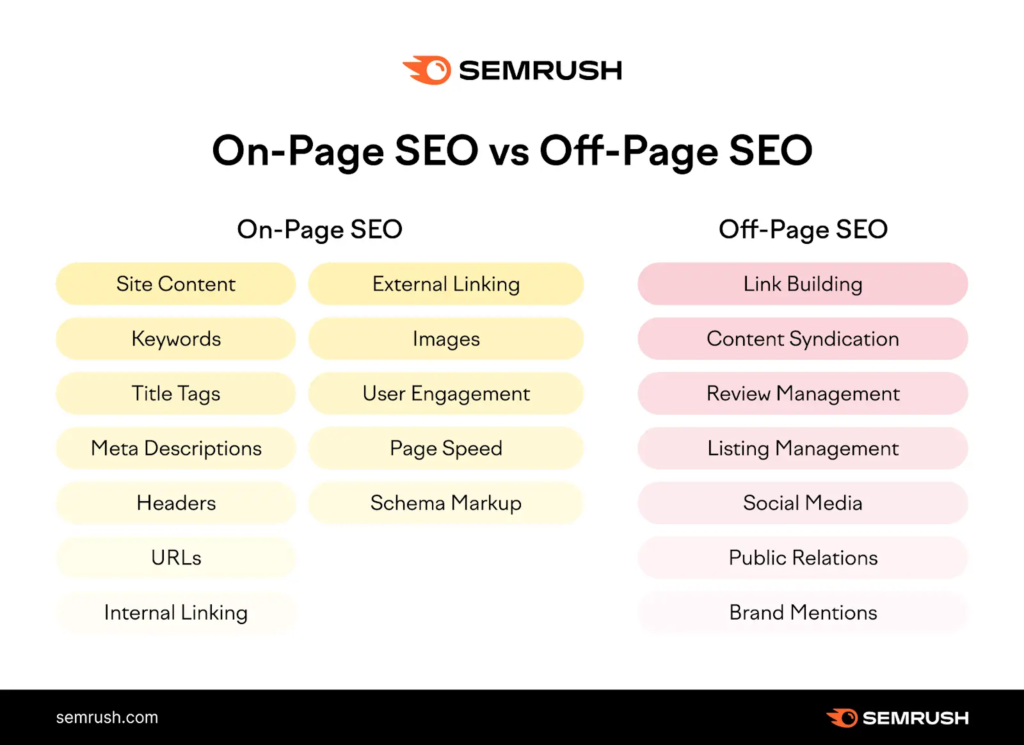
On-page SEO is essential, but it’s only one part of the equation. Off-page SEO (like building backlinks from other websites) and technical SEO (like site structure and crawlability) also play important roles. That said, getting your on-page SEO right is the best starting point without it, no amount of backlinks will help.
Conclusion
On-page SEO doesn’t have to be complicated. When you break it down into simple, actionable steps, it becomes something any blogger can do regardless of experience level.
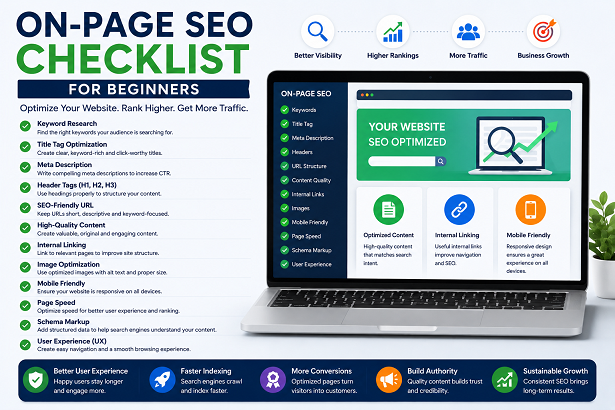
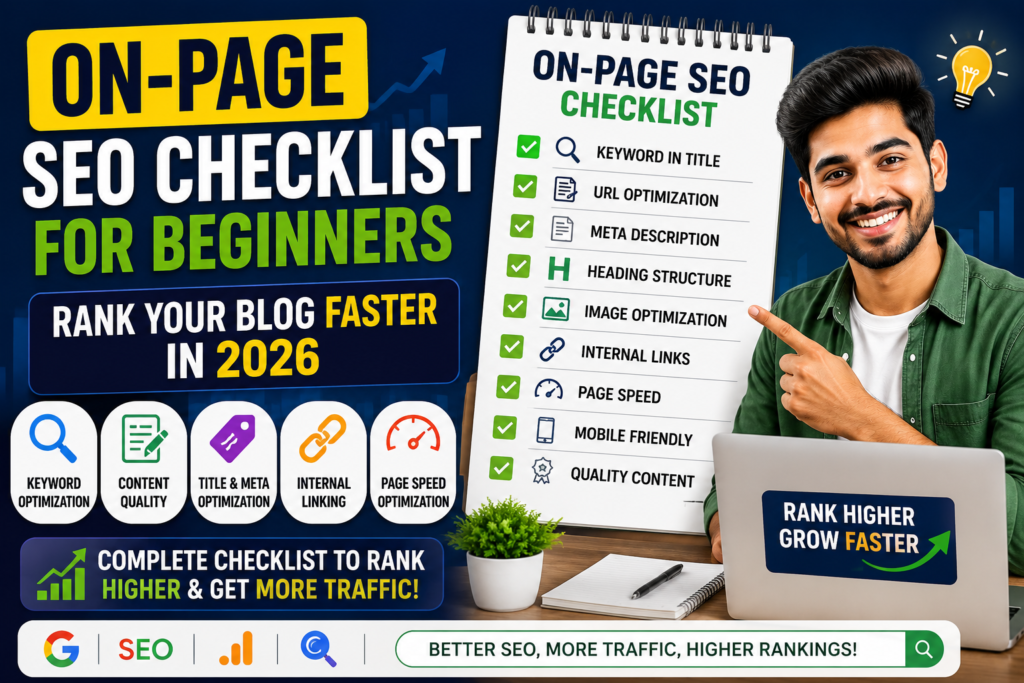
Here’s a quick summary of the complete on-page SEO checklist for blog posts:
- Target the right keyword before you write
- Optimize your title tag and meta description
- Use a clear heading structure (H1, H2, H3)
- Write a clean, keyword-rich URL slug
- Optimize all your images with alt text and compression
- Focus on content quality and readability
- Add internal and external links strategically
- Improve page speed and mobile experience
If you apply even half of these steps consistently, you’ll see more organic traffic, better rankings and more readers staying on your posts longer.
Ready to take action? Go back to your last 3 blog posts and run them through this checklist. Fix what’s missing, update what’s outdated, and watch your rankings improve over the next few weeks.
SEO is a long game but every small improvement compounds over time. Start today.