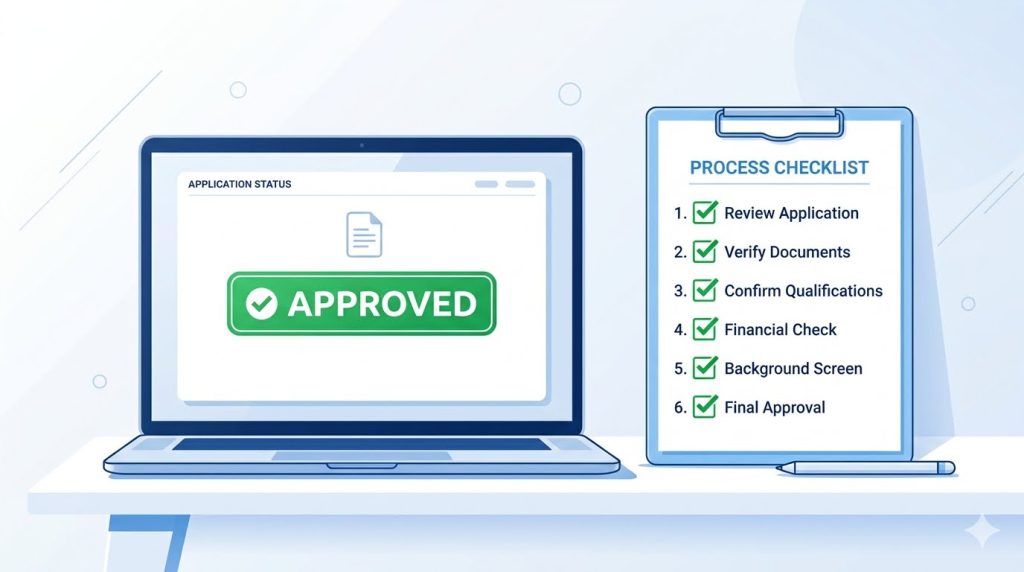
Introduction
Getting approved for Google AdSense can feel like a mystery. You apply, you wait, and then you get a rejection email with a vague reason like “low value content” or “site not ready.” It’s frustrating, especially when you worked hard on your blog or website.
The good news is that AdSense approval is not random. Google follows a set of rules, and once you understand them, you can fix your site step by step. This guide shares the best AdSense approval tips and the common mistakes you should avoid, so your next application has a real chance of getting that green checkmark.
Use a Custom Domain Instead of a Free Subdomain
One of the simplest things you can do to boost your approval chances is to use a custom domain like yourwebsite.com instead of a free subdomain such as yourblog.blogspot.com or yourname.wordpress.com. Google generally prefers sites that show a real commitment to building something long term, and a paid domain signals exactly that. Free subdomains are not banned outright, but they are linked with a higher rejection rate because spammy or low-quality sites often use them. A custom domain also looks more professional to your readers and helps with branding in the long run.
Here are a few quick tips for choosing a domain:
- Keep it short, simple, and easy to spell
- Avoid using too many hyphens or numbers
- Try to match the domain name with your niche or brand
- Use a trusted registrar with good support
If you are serious about monetizing your site, treat the domain purchase as a small investment. It usually costs less than a coffee subscription for a month, and it removes one of the most common reasons for an early rejection.
Publish High-Quality, Original Content
Content quality is the heart of AdSense approval. Google’s reviewers, along with automated systems, look closely at whether your content is genuinely useful, well written, and original. Thin, copied, or AI-spun content without real value is one of the fastest ways to get rejected. Quality content means writing articles that actually answer a reader’s question, solve a problem, or teach something new. It should be easy to read, free of major grammar mistakes, and organized with clear headings.
Some practical tips:
- Write at least 800 to 1200 words per post for better depth
- Avoid copying content from other websites, even with small changes
- Add your own examples, opinions, or experiences
- Break up long paragraphs so the article is easy to scan
For example, instead of writing a generic post titled “Tips for Healthy Eating,” try something more specific like “10 Budget-Friendly Healthy Meals for Busy Students.” Specific, helpful content stands out far more than generic filler text, both to readers and to Google’s review system.
Have Enough Published Posts Before Applying
A common mistake new bloggers make is applying for AdSense right after publishing just two or three posts. Google wants to see a website that already has a meaningful amount of content, not one that is just getting started. While there is no official “magic number,” many successful applicants had somewhere between 20 and 30 well-written posts before they applied. This shows Google that your site is active, established, and worth showing ads on.
Tips to build up your content base properly:
- Create a content calendar and publish consistently, such as twice a week
- Cover different subtopics within your niche so the site feels complete
- Make sure each post is unique and not just a slight variation of another
For example, if your blog is about personal finance, you could write separate posts on budgeting, saving tips, investing basics, and debt management instead of five posts all saying the same thing in different words. A site with depth and variety looks far more trustworthy and ready for advertising than one with a handful of rushed articles.
Add Essential Pages: About, Contact and Privacy Policy
This is one of the most overlooked AdSense approval tips, yet it is also one of the easiest mistakes to fix. Google requires every website applying for AdSense to have clear, easy-to-find essential pages. Without them, your application will almost certainly be rejected.
The three pages you absolutely need are:
- About page: Explains who you are, what your website is about, and why visitors should trust you
- Contact page: Gives visitors a way to reach you, such as an email address or contact form
- Privacy Policy page: Explains how you collect and use visitor data, including information about cookies and third-party ads
You can use a free privacy policy generator to create a basic policy and then customize it for your site. Just make sure it mentions that third-party vendors, including Google, use cookies to serve ads based on a user’s visit to your site. Place links to these pages in your website’s footer or main menu so they are easy to find. This small step shows Google, and your readers, that your website is transparent and trustworthy.
Improve Website Design and Navigation
A messy, confusing website is a red flag for AdSense reviewers. Even if your content is good, poor design can hurt your chances of approval. Your site should look clean, load quickly and be easy to navigate on both desktop and mobile devices.
Things to check before applying:
- Make sure your menu clearly shows main categories or pages
- Remove broken links, missing images, or unfinished pages
- Choose a simple, fast-loading theme instead of a heavy, cluttered one
- Test your site on a phone, since most visitors browse on mobile
For example, a blog with a confusing menu, broken images, and text that overlaps on mobile screens sends a message that the site is not ready for visitors, let alone advertisers. On the other hand, a clean layout with clear categories like “Home,” “Blog,” “About” and “Contact” makes it easy for both users and Google to understand your site’s purpose. A well-designed site doesn’t need to be fancy or expensive. Many free themes work perfectly well as long as they are mobile-friendly and load quickly.
Avoid Prohibited or Sensitive Content
Google has clear content policies, and violating them is one of the fastest ways to get permanently rejected. Even if your writing is excellent, certain topics or content types are simply not allowed on AdSense-monetized sites.
Content to avoid includes:
- Adult or sexually explicit material
- Violence, weapons, or content promoting illegal activities
- Copyrighted material used without permission, such as pirated movies or music
- Hate speech or content that promotes discrimination
- Content that encourages dangerous or harmful behavior
It’s also important to be careful with sensitive topics like health, finance and legal advice. These can still be covered, but they should be handled responsibly, with accurate information and appropriate disclaimers where needed. For example, a fitness blog can absolutely write about weight loss, but it should avoid promoting extreme or unsafe practices. A finance blog can discuss investing, but should include a disclaimer that it is not professional financial advice. Before applying, read through Google’s AdSense program policies at least once. It takes only a few minutes and can save you from a rejection that might otherwise feel confusing or unfair.
Make Sure Your Site Has Good Traffic and Is Indexed
While AdSense does not require a massive amount of traffic, having some organic visitors and being properly indexed by Google search shows that your site is real and active, not just a placeholder.
Steps to improve this area:
- Submit your sitemap to Google Search Console
- Check that your main pages appear when you search “site:yourdomain.com” on Google
- Share your articles on social media to attract initial visitors
- Focus on basic SEO, like using keywords naturally in titles and headings
For example, if you search for your own website and nothing shows up, that’s a sign Google hasn’t indexed it yet, which can hurt your application. Setting up Google Search Console early and submitting your sitemap helps speed up the indexing process. You don’t need thousands of daily visitors to get approved, but a steady trickle of organic traffic, even just a few dozen visits a day, shows your site is genuinely being used and discovered by real people. This builds trust with Google’s review system over time.
Apply at the Right Time and Avoid Reapplying Too Quickly
Timing matters more than most people realize. A common mistake is applying too early, getting rejected, and then immediately reapplying without fixing the actual issues. This pattern can sometimes lead to longer waiting periods or repeated rejections.
Best practices for timing your application:
- Wait until your site has met the tips covered above: enough content, essential pages, clean design, and some traffic
- If rejected, carefully read the reason given and fix that specific issue before reapplying
- Give yourself at least two to four weeks between applications to make meaningful improvements
- Keep publishing new content even while waiting for a review
For example, if you were rejected for “low value content,” simply reapplying the next day without adding new articles won’t change the outcome. Instead, spend those weeks writing more in-depth posts, improving older articles, and polishing your site’s design. Patience really does pay off here. Many successful bloggers were rejected once or twice before finally getting approved, simply because they used the rejection as a checklist for improvement rather than a reason to give up.

Frequently Asked Questions
Q1. How long does AdSense approval usually take?
It typically takes anywhere from a few days to a couple of weeks. In some cases, it can take longer if Google needs more time to review your site thoroughly.
Q2. Can I apply for AdSense with a free blog like Blogger or WordPress.com?
Yes, it is possible but approval rates are generally higher with a custom domain, since it signals a more serious, long-term website.
Q3. How many blog posts do I need before applying?
There’s no official number, but having around 20 to 30 well-written, original posts gives you a much stronger chance compared to just a handful of articles.
Q4. Why was my AdSense application rejected even though my content is good?
Rejections often happen due to missing pages like Privacy Policy or About, poor navigation, low traffic or content that brushes against Google’s policies, not just writing quality alone.
Q5. Can I reapply immediately after a rejection?
You can, but it’s better to wait a few weeks and actually fix the issue mentioned in the rejection email first. Reapplying without changes rarely leads to a different result.
Conclusion
Getting AdSense approval doesn’t have to feel like guesswork. By using a custom domain, publishing original and helpful content, adding essential pages, designing a clean site, avoiding prohibited topics, building some organic traffic and applying at the right time, you give yourself a strong, realistic chance of approval.
Remember, every successful website started somewhere and a rejection is not the end of the road. Treat it as useful feedback, make the necessary fixes, and try again with confidence.
If you found these tips helpful, start applying them to your website today. Review your site against this checklist, fix what’s missing and take the next step toward turning your content into a real source of income with AdSense.