Introduction
If you are a freelancer, you already know how much time goes into tasks that have nothing to do with your actual skill. Writing proposals, answering client emails, managing invoices, creating social media posts the list never ends. That is where ChatGPT prompts for freelancers come in.
ChatGPT is not here to replace you. It is here to handle the boring, repetitive stuff so you can focus on the work that actually pays you. But the secret to getting the best results from ChatGPT is knowing exactly what to ask. A vague prompt gives you a vague answer. A specific, well-crafted prompt gives you results you can actually use.
In this guide, you will find 50 carefully chosen ChatGPT prompts organized by the most important areas of freelance work. Whether you write, design, code or consult, these prompts will save you hours every week. Let us get into it.
ChatGPT Prompts for Writing Winning Client Proposals
Landing a new client often comes down to one thing your proposal. It needs to be clear, confident, and focused on the client’s problem. Most freelancers spend too long staring at a blank screen trying to get the tone right.
These prompts help you get a strong first draft in minutes:
- “Write a freelance proposal for a web design project. The client wants a 5-page website for a small bakery. My rate is $800. Keep it professional but friendly.”
- “Write a short project proposal email for a logo design job. The client is a startup in the health and wellness industry.”
- “Help me write a proposal that explains why I am the best fit for a content writing project about personal finance.”
Tip: Always add your own details after ChatGPT gives you the draft. Mention something specific about the client’s business to make it feel personal. Generic proposals get ignored.
When writing proposals, the goal is to show you understand the client’s problem and that you have a clear plan to solve it. Use ChatGPT to handle the structure and wording, then add your personal touch on top.
ChatGPT Prompts for Setting Your Freelance Rates
Talking about money is uncomfortable for most freelancers, especially when you are just starting out. Many people undercharge because they are not sure what the market looks like or how to justify their price.
Use these prompts to get help thinking through your rates:
- “I am a freelance graphic designer with 3 years of experience. Help me figure out a fair hourly rate based on industry standards.”
- “Write a response I can send to a client who thinks my rate is too high. Keep it polite but firm.”
- “Give me three ways to explain the value of my copywriting services without sounding like I am bragging.”
The key to pricing confidence is being able to explain your value clearly. ChatGPT can help you find the right words when you are too close to the situation to think straight.
Tip: Ask ChatGPT to role-play the conversation. You play yourself, ChatGPT plays the client. This is surprisingly good practice for real negotiations.
ChatGPT Prompts for Client Emails and Communication
Poor communication skills freelance relationships faster than bad work. If your emails take too long, sound too casual or go on too long, clients lose confidence in you.
Here are prompts that make your emails faster and sharper:
- “Write a follow-up email to a client who has not responded to my proposal in a week. Keep it short and not pushy.”
- “Help me write an email telling a client that the project will be delayed by three days. Be honest but professional.”
- “Write a thank-you email to send after completing a project. Include a gentle reminder to leave a review.”
Good email habits build long-term client trust. When you reply quickly and communicate clearly, clients see you as reliable and reliability is what gets you repeat business and referrals.
Tip: Save your best ChatGPT-written emails as templates. You will be amazed how often you need the same email again.
ChatGPT Prompts for Social Media and Personal Branding
As a freelancer, you are your own marketing team. Your LinkedIn profile, Twitter presence, and portfolio website are always working for you or against you. Creating consistent content takes time, but it does not have to take all your time.
Try these prompts to keep your presence active without burning out:
- “Write 5 LinkedIn posts for a freelance video editor trying to attract clients in the e-commerce space.”
- “Create a short Twitter bio for a freelance UX designer who specializes in mobile apps.”
- “Give me 3 content ideas for Instagram that a freelance photographer could use to attract wedding clients.”
Personal branding is not about being everywhere. It is about showing up consistently in the places your ideal clients spend time. ChatGPT helps you generate content in bulk so you can plan ahead and post without pressure.
Tip: Use the prompt “Rewrite this in a more casual tone” after getting an initial draft. It often makes the content feel more human and less like it came from a robot.
ChatGPT Prompts for Creating and Polishing Your Portfolio
Your portfolio is the first thing most clients will judge before ever talking to you. It needs to clearly show what you do, who you have helped, and what results you have delivered. Writing about your own work is harder than it sounds.
These prompts make it easier:
- “Write a portfolio case study for a logo redesign project. The client was a coffee shop, and the goal was to modernize their brand identity.”
- “Write a short bio for my portfolio website. I am a freelance copywriter with a background in marketing.”
- “Help me write a description for a website redesign project that highlights the business results, not just the design.”
The best portfolios tell a story. They explain the problem, the approach, and the result. ChatGPT is excellent at helping you structure that narrative when you have the raw information but not the words.
Tip: Always frame your portfolio items around results. Do not just say what you built say what it achieved. “Increased email open rates by 35%” is far more powerful than “Wrote email campaigns.”
ChatGPT Prompts for Managing Projects and Staying Organized
Freelancers wear every hat project manager, accountant, customer service rep, and the actual skilled professional. Staying organized without a team is one of the biggest challenges in freelance life.
Use these prompts to create systems and save your sanity:
- “Create a simple project checklist for a freelance web developer working on a 4-week client project.”
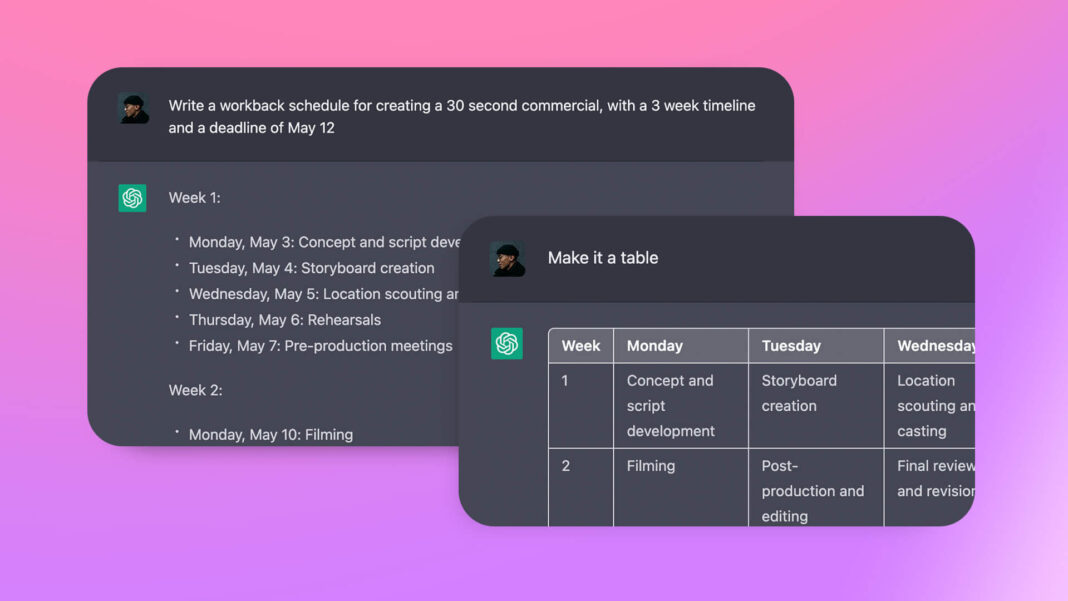
- “Write a weekly schedule template for a freelance writer who is managing three clients at once.”
- “Give me a script for a kickoff call with a new client. Include questions I should ask before starting the project.”
Having a clear structure is not just about being productive. It also makes you look more professional to clients. When you send a detailed project timeline or a clear kickoff agenda, clients feel like they are in good hands.
Tip: Use the prompt “Help me build an onboarding checklist for new clients” to create a repeatable process. Once you have this, every new project starts smoothly.
ChatGPT Prompts for Writing Great Content and Copy
If writing is part of what you do or even part of how you market yourself ChatGPT is a powerful co-writer. It is not about replacing your voice. It is about getting past the blank page faster and editing from a rough draft instead of building from nothing.
Here are prompts for common writing tasks:
- “Write a 300-word blog post introduction about the benefits of freelancing for recent graduates.”
- “Create 10 headline options for a landing page selling an online course for freelancers.”
- “Rewrite this paragraph to make it sound more conversational: [paste your text].”
The best way to use ChatGPT for writing is as a drafting partner, not a ghostwriter. You bring the ideas, the insight, and the expertise. ChatGPT helps you put them into words faster.
Tip: Give ChatGPT a sample of your own writing and ask it to match your style. This makes the output feel like you, not a machine.
ChatGPT Prompts for Handling Difficult Client Situations
Even when you do great work, things go sideways sometimes. A client is unhappy. A project goes over budget. Scope creep appears out of nowhere. These situations are stressful, and it is easy to say the wrong thing when emotions are involved.
These prompts help you respond professionally when things get hard:
- “Help me write a response to a client who wants major revisions that are outside the original project scope.”
- “Write a message to a client who has not paid their invoice in two weeks. Keep it professional but direct.”
- “Give me a script for a call with an unhappy client. I want to understand their concerns without immediately agreeing to more free work.”
Handling difficult situations well is one of the things that separates experienced freelancers from beginners. When you respond calmly and professionally, clients often come away more impressed than if nothing had gone wrong in the first place.
Tip: Before sending any message written during a stressful moment, paste it into ChatGPT and ask: “Does this sound professional and not defensive?” It catches things your stressed brain misses.
Frequently Asked Questions
Q1: Are these ChatGPT prompts suitable for all types of freelancers?
Yes. Whether you are a writer, designer, developer, marketer, or consultant, these prompts cover universal freelance tasks like proposals, emails, client communication, and project management. You can adapt any prompt to fit your specific niche.
Q2: Do I need a paid ChatGPT account to use these prompts?
Most of these prompts work on the free version of ChatGPT. However, GPT-4 (available on ChatGPT Plus) tends to give more refined, detailed responses which can be worth it if you use ChatGPT heavily in your freelance work.
Q3: How do I make ChatGPT sound more like me?
Give it examples of your writing. Paste two or three paragraphs you have written and say: “Write in this style.” The more context you give ChatGPT, the more personalized the output becomes.
Q4: Can I use ChatGPT to help with client work, not just my own tasks?
Yes, many freelancers use ChatGPT to assist with drafting deliverables blog posts, writing product descriptions, creating social media content and more. Just make sure to always review, edit and add your expertise before delivering anything to a client.
Q5: How many of these prompts should I use at once?
Start with the categories that eat the most of your time right now. If proposals take forever, start there. If email is your pain point, focus on those prompts first. You do not need to implement everything at once even two or three good prompts can save you hours every week.
Conclusion
Freelancing is one of the most rewarding career paths you can take but it comes with a serious time tax. Every hour you spend writing proposals, managing emails or figuring out how to handle a difficult client is an hour you are not doing the work you love or earning money. The ChatGPT prompts for freelancers in this guide are designed to give you that time back. From landing clients to protecting your rates, from building your personal brand to handling awkward conversations there is a prompt here for almost every challenge you face.
Start small. Pick one category from this list and use those prompts for a week. Notice how much time you save and how much less mental energy you spend on tasks that used to drain you. Then add more. The freelancers who thrive in the next few years will not be the ones who ignore AI tools. They will be the ones who know how to use them smartly keeping their own voice, judgment, and expertise at the center, while letting tools like ChatGPT handle the heavy lifting around it.
Ready to put these prompts to work? Bookmark this page, pick your top three prompts and try them today. Your future self the one with more clients, more time, and less stress will thank you.