Introduction
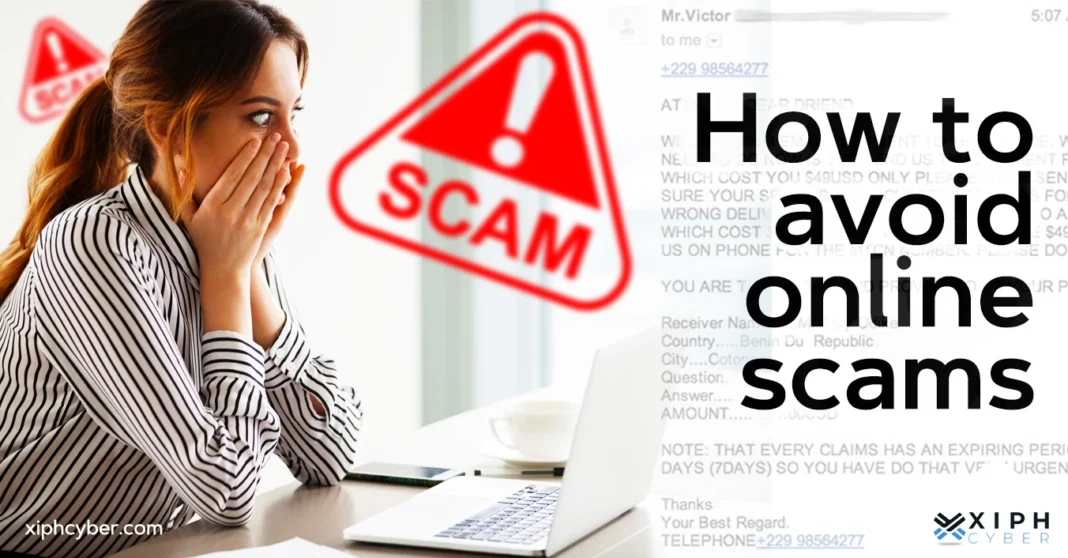
Imagine waking up one morning and finding out that your bank account has been emptied overnight, not because you were robbed, but because you clicked on the wrong link. Sadly, this happens to millions of people every year. Online scams are growing faster than ever. Criminals no longer need to break into your home. They just need your email address, a fake website, or a convincing text message. According to global reports, people lost over $10 billion to online fraud in recent years and that number keeps rising.
The good news? You can protect yourself. You don’t need to be a tech expert to stay safe online. You just need to know what to look for and how to respond. This guide will walk you through everything from spotting red flags to protecting your personal information in simple, easy-to-understand steps. If you shop online, use social media, or check emails daily, this article is for you. Let’s get started.
Understand What Online Scams Actually Are
Before you can avoid online scams, you need to understand what they are and how they work. An online scam is when someone tries to trick you through the internet to steal your money, personal information, or identity. Scammers are creative. They disguise themselves as banks, government agencies, online stores, or even your friends.
There are many types of online scams. Some of the most common ones include:
- Phishing emails: Fake emails that look like they’re from a real company, asking you to click a link or enter your details.
- Lottery scams: Messages telling you that you’ve won a prize you never entered.
- Romance scams: Fake online relationships built to earn your trust and eventually ask for money.
- Tech support scams: Pop-ups or calls claiming your computer has a virus and offering “help” for a fee.
- Investment scams: Promises of quick, high returns with little risk.
Once you recognize these patterns, you’re already one step ahead. Scammers rely on surprise and confusion. Knowledge is your first and most powerful defense.
Watch Out for These Common Warning Signs
Scams almost always come with red flags. The problem is that most people are too busy or too excited to notice them. Learning to pause and look for warning signs can save you a lot of trouble.
Here are the most common warning signs to watch for:
- Too good to be true offers: Free iPhones, instant lottery wins, or “earn $5,000 a week from home” promises are almost always fake.
- Urgency and pressure: Scammers often say things like “Act now!” or “Your account will be closed in 24 hours!” This is designed to rush you into making a mistake.
- Poor grammar and spelling: Many scam messages contain odd language, spelling mistakes, or sentences that don’t quite make sense.
- Requests for personal information: Legitimate companies will never ask for your password, social security number, or full card details through email or chat.
- Suspicious links: A link that looks almost right like “paypa1.com” instead of “paypal.com” is a major warning sign.
Tip: When in doubt, slow down. Take a breath. Ask yourself: “Did I expect this message? Does this make sense?” A few extra seconds of thinking can prevent huge losses.
Keep Your Personal Information Private
One of the most powerful ways to avoid online scams is to guard your personal information like it’s cash because to scammers, it is. Your name, address, phone number, date of birth and especially your financial details are valuable. Criminals use this information to steal your identity, open fake accounts in your name or access your bank.
Here’s how to protect your private data:
- Never share your passwords with anyone not even people who claim to be from your bank or a tech company.
- Avoid entering sensitive details on websites that don’t have “https://” at the start of their web address.
- Be careful about what you post on social media. Sharing your birthday, location, or daily routine gives scammers useful information.
- Use strong, unique passwords for each account. A password manager can help you keep track of them.
Example: If someone calls you claiming to be from your bank and asks you to “confirm” your card number, hang up and call your bank’s official number directly. Banks never ask for full card details over the phone.
Your personal information is yours. Share it only when absolutely necessary, and only with people or companies you fully trust.
Be Careful with Emails and Links
Email is one of the most popular tools scammers use. It’s cheap, fast, and easy to fake. A well-designed phishing email can look almost identical to one from your real bank, delivery service or even a friend. Before clicking any link in an email, ask yourself a few questions. Did I expect this email? Does the sender’s address look right? Is the message asking me to do something urgently?
How to check if an email is real:
- Look at the sender’s full email address, not just the name. “Amazon Support” can be anyone but the email address will reveal the truth.
- Hover your mouse over any link before clicking it. The real web address will appear at the bottom of your screen.
- If the email asks you to log in to your account, open a new browser tab and go directly to the website yourself instead of clicking the link.
- Watch for generic greetings like Dear Customer real companies usually use your name.
Tip: Most email providers now have spam filters that catch many scam emails. Make sure your spam filter is turned on and always check before clicking.
If you ever receive a suspicious email that pretends to be from your bank or a service you use, report it to that company directly. You may be helping protect others too.
Shop Safely Online
Online shopping is convenient, but it also comes with risks. Fake online stores are built to look real they have product photos, prices, reviews, and even customer service pages. But after you pay, the product never arrives, or worse, your payment details are stolen.
To shop safely online, follow these steps:
- Stick to well-known websites. If you’re trying a new store, research it first. Look for reviews on independent sites, not just reviews posted on the store itself.
- Check the website address carefully. Scam websites often have slight misspellings or odd domain endings like “.store” or “.info” instead of “.com.”
- Use a credit card instead of a debit card when shopping online. Credit cards usually offer better fraud protection.
- Look for a padlock icon next to the website address. This means the site uses encryption to protect your data.
- Be suspicious of prices that are far too low. A brand-new product being sold for 80% off is almost always a scam.
Example: You find a website selling designer shoes for $20. The photos look real, the site looks professional, but when you search the store’s name plus “reviews” or “scam,” you find dozens of complaints. Always do this quick search before buying from a new website.
Protect Yourself on Social Media
Social media platforms are a playground for scammers. They create fake profiles, join online groups, and send friend requests to build fake relationships. Once they earn your trust, they ask for money, personal details or try to sell you something fake. Common social media scams include fake giveaways, romance scams, fake job offers and impersonation of celebrities or brands.
Here’s how to stay safe on social media:
- Don’t accept friend requests from people you don’t know, especially if their profile looks new or has very few posts.
- Be skeptical of giveaways that ask you to share a post, click a link, or provide personal information to “claim your prize.”
- Never send money to someone you’ve only met online, even if you’ve been talking for months. Romance scammers are patient and can spend weeks or months building your trust.
- Check if accounts are verified when interacting with celebrities or big brands. Fake accounts often have slight differences in the username.
Tip: Adjust your social media privacy settings so that only your friends can see your personal information and posts. The less a stranger can see about you, the less they can use against you.
Use Strong Security Tools and Habits
Good security habits are like locking your front door they’re simple, but most people skip them until something goes wrong. The right tools and habits make it much harder for scammers to reach you.
Here’s a checklist of security basics everyone should have:
- Two-factor authentication (2FA): Turn this on for all your important accounts. Even if someone gets your password, they still can’t log in without a second code sent to your phone.
- Keep software updated: Updates often include security fixes that protect you from the latest threats. Don’t ignore those update notifications.
- Use antivirus software: A good antivirus program can detect and block many scam websites and malicious downloads automatically.
- Be careful with public Wi-Fi: Never do banking or shopping on public Wi-Fi without a VPN (Virtual Private Network). Public networks can be monitored by criminals.
- Back up your data regularly: If something goes wrong, having a backup means you won’t lose everything.
These habits take only a few minutes to set up but can protect you for years. Think of them as your personal online security system.
Know What to Do If You’ve Been Scammed
Even careful people can fall victim to online scams. Scammers are professionals this is what they do every day. If it happens to you, don’t panic and don’t feel ashamed. What matters most is how quickly and wisely you respond.
Here are the immediate steps to take:
- Stop all contact with the scammer right away. Block them on every platform.
- Contact your bank or card provider immediately if you shared payment information. They may be able to stop or reverse the transaction.
- Change your passwords for any accounts that may have been compromised, starting with your email and banking accounts.
- Report the scam to your local cybercrime authority or consumer protection agency. In many countries, you can also report to the platform where the scam happened (Facebook, Google, etc.).
- Warn others. Share your experience with friends and family so they don’t fall for the same trick.
Remember: Reporting scams is important even if you can’t get your money back. Your report helps authorities track patterns and potentially catch the criminals. You might prevent someone else from being scammed.
Many people feel embarrassed after being scammed. But scammers are skilled manipulators. It can happen to anyone. The most important thing is to act fast and report it.
Frequently Asked Questions (FAQ)
Q1: How do I know if a website is safe to use?
Look for “https://” at the beginning of the web address and a padlock icon in the browser bar. Also, search the website’s name along with words like “scam” or “reviews” before entering any personal or payment information. Trusted review sites and forums can reveal a lot.
Q2: Can I get my money back if I’ve been scammed online?
It depends on how you paid. Credit card payments often have fraud protection, and your bank may be able to reverse the charge if you report quickly. Bank transfers and cryptocurrency payments are much harder to recover. Always report to your bank as soon as possible.
Q3: Are all unsolicited emails dangerous?
Not all, but treat unexpected emails with caution especially if they contain links, attachments, or requests for personal information. If an email asks you to act urgently or offers something too good to be true, it’s likely a scam. When in doubt, delete it or verify by contacting the supposed sender directly through their official website.
Q4: What should I do if I accidentally clicked a suspicious link?
Don’t panic, but act quickly. Close the page immediately. Run a full antivirus scan on your device. Change the passwords for your important accounts, especially email and banking. If you entered any personal or payment information, contact your bank right away.
Q5: Is it safe to shop on social media marketplaces?
It can be, but you need to be careful. Stick to well-reviewed sellers, prefer local pickup over wire transfers and use secure payment methods. Never pay with gift cards or cryptocurrency for online purchases these are almost always scams.
Conclusion
Online scams are everywhere but they are not unstoppable. The key to protecting yourself is simple stay informed, stay cautious and take action when something feels wrong.
Let’s quickly recap what we covered:
- Understand the different types of online scams and how they work.
- Learn to spot warning signs like urgency, unrealistic promises, and suspicious links.
- Keep your personal information private and share it only when truly necessary.
- Be careful with emails check senders, hover over links, and never rush.
- Shop only on trusted, secure websites and verify before buying.
- Stay alert on social media and never send money to someone you met online.
- Use strong security tools: two-factor authentication, antivirus software, and regular updates.
- If you’re scammed, act fast contact your bank, change passwords, and report it.
The internet is an amazing place. Don’t let fear stop you from using it but don’t let your guard down either. Share this article with your family and friends, especially those who are less familiar with online safety. You might just save someone from a very costly mistake. Stay smart. Stay safe. And always trust your instincts if something feels wrong, it probably is.